
Screenshot Restriction Works in Teams but not in Outlook – iOS App Protection Policy
Question
Hi all,
APP Protection Policy question: ios. Morning all…I set up the above and looks like it’s working (some)… I have noticed tho that the policy prevents me from taking a screenshot of Teams… but it allows screenshots in Outlook?! Why is that? How come it stops screenshots on Teams but it allows in Outlook? Any thoughts on what I need to recheck pls?
Question Posted by Patrick O’Frani in the HTMD FB group

Answers ( 3 )
Replied by Patrick O’Frani
Kaine Cohen: First time setting up BYOD policies. I’m testing it before we roll it out to the rest of the organization.
I’ll reboot the phone. Thanks for sticking with me on this one.
Replied by Kaine Cohen
Patrick O’Frani No problem – you’ve done a great job, good to see you doing PoC before production as well.
Remember to read about any limitations (iOS version, multiple app protection policies etc)!
Replied by Patrick O’Frani
Kaine Cohen. Also, I thought the PIN was because of this setting?
Replied by Patrick O’Frani
Kaine Cohen yes – I definitely remember that and yes, it asked me to set up a 4 digit pin.
Replied by Patrick O’Frani
Kaine Cohen Hmm, actually – Outlook does not ask me for a pin?!
Replied by Kaine Cohen
Patrick O’Frani Okay, great starting point – let’s take a step back, what applications did you choose within the policy?
Replied by Patrick O’Frani
Kaine Cohen, well, my App Protection policy is only supposed to be just for Microsoft Apps
Replied by Kaine Cohen
Patrick O’Frani gotcha – I can see Outlook is within the list of “All Microsoft Apps” – have you ever used App Protection Policies on your iPhone before? I’d be tempted to restart your phone and see if it kicks in after, looks like it should work.
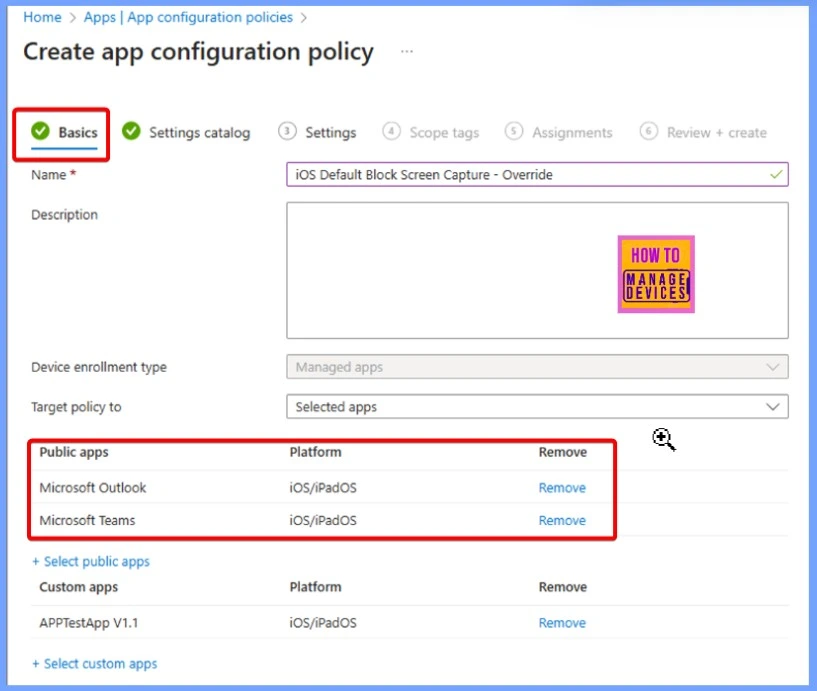
For more details – Microsoft Intune Introduces Screen Capture Blocking for iOS or iPadOS MAM Protected Apps – https://www.anoopcnair.com/intune-screen-capture-blocking-for-ios-ipados/
Replied by Kaine Cohen
Did you set up PIN / Biometrics required for Teams / Outlook? If so, is that configuration following?
Replied by Kaine Cohen
Patrick O’Frani, okay, so if you’ve got that enabled, did you see it say “Your org requires you to setup a pin” or something like that, when you opened up Outlook / Teams? I’m testing this policy compared to the print screen, because I want to see if it’s applied to your Outlook application.