
How to Fix Windows Update Issues in Windows 11
Question
Hi All,
We are currently facing an issue where Windows Update is not automatically downloading or installing updates on approximately 300 out of 900 devices within our environment, all of which are managed through Intune.
These affected devices are not installing any available updates, including the April 2025 cumulative security update, despite the following configurations being in place: Here’s what our configuration looks like:
- Microsoft product updates: Allowed
- Windows drivers: Allowed
- Quality update deferral: 5 days
- Feature update deferral: 365 days
- Servicing channel: General Availability
- Automatic update behaviour: Auto install and restart at maintenance time
- Active hours: 8 AM – 5 PM
- Deadline for quality updates: 1 day
- Grace period: 1 day
- Auto reboot before deadline: Yes
- Option to pause updates: Disabled
- Option to check for updates: Enabled
There is no discernible pattern among the 300 affected devices, as the issue spans devices from users who have been active for 1 month to those who have been active for up to 5 years.
System Checks
All related Group Policy Objects (GPOs) and local policies have been thoroughly reviewed, and no conflicting settings have been identified. Additionally, the Wuaserv is running on all affected devices.
Symptoms
No updates are being downloaded automatically, even when updates are available and visible within the Windows Update interface. The issue applies to all types of updates, not just optional updates.
- When reviewing the “Quality update status” in Intune, the following alert is shown on the problematic devices:
- DeviceDiagnosticDataNotReceived
- Description: “Diagnostic data for this device isn’t available in reports since it hasn’t been received. This might happen because the device isn’t configured correctly or isn’t active.”
Investigation and Findings
We found an external source suggesting that enabling telemetry should resolve the DeviceDiagnosticDataNotReceived alert. However, in our case, telemetry is already fully enabled, and the issue persists.
- To ensure everything is correctly configured, I have specifically set a policy in Intune that enables telemetry, which should allow the devices to send diagnostic data as expected.
- Has anyone encountered a similar situation, or have some suggestions on how we can resolve this problem?
| Policy Configuration | Details |
|---|---|
| Allow Microsoft Managed Desktop Processing: | Allowed |
| Allow Telemetry | Full |
| Limit Diagnostic Log Collection | Enabled |
| Limit Dump Collection | Enabled |
| Limit Enhanced Diagnostic Data (Windows Analytics): | Enabled |
How to Fix Windows Update Issues in Windows 11 – Table 1
Question Posted by Bartosz Wernik in the HTMD FB group
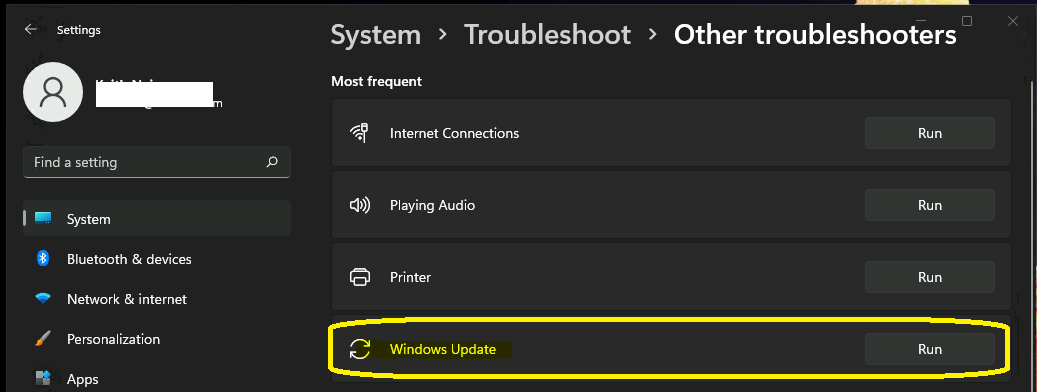 How to Fix Windows Update Issues in Windows 11

Answers ( 4 )
Vinoth Vijayabalan: Allow Auto Windows Update Download Over Metered Network
=1
Replied by Joakim Hellström
Problem at MS. They are working on a fix.
Replied by Bartosz Wernik
Any details?
Replied by Bartosz Wernik
Mike, no, affected machines aren’t co-managed, and there are no GPO conflicts.
Replied by Bart Dm
Are the Intune assigned roles correct? Click on the device in the portal, then details and is the WUFB workload assigned?
Replied by Vinoth Vijayabalan
How are these devices connected to the network? LAN, Wi-Fi or Mobile Data (using a SIM Card)? Sometimes updates will not be downloaded automatically if devices are using Metered Connection. Try enabling ‘Download updates over Metered Connection’ and check if it is helping.
Replied by Mike
For this, can you check where the machines are getting updated? Is it on sccm server or Intune? If on sccm or wsus server side, please upload and update patches. If it is on Intune, check group assignments are correct, also check device configuration to make sure there is no conflict with policies, and check for Windows version requirements. We also have this issue, but it got resolved by checking where the machines are getting updates. We managed to get the update on the Intune update ring and turned off on sccm patches side. I hope this helps.
Replied by Bartosz Wernik
Mike, Intune, where are the machines getting updates? -Intune Autopatch service.
Replied by Mike
Bartosz Wernik, could you confirm if the affected machines are co-managed?
Replied by Mike
If yes, make sure the affected machines only have policies in Intune, with no GPO conflict.
For more details – FIX Windows Update issues for Windows 11 Errors Troubleshooting Tips – https://www.anoopcnair.com/fix-windows-update-issues-for-windows-11-errors/
Replied by Karthick Iyer
Assignment groups? Are they different?
Replied by Bartosz Wernik
Each update ring has a different group of devices
Replied by Kyle Townend
Have you or a supplier reformatted the disks and messed with the recovery/system partitions?
We had a similar problem at a customer, and ended up going right to Product Group, who finally identified some issue with the partitions blocking the updates. It was independent of Intune.
Replied by Bartosz Wernik
Could you describe in more detail what was wrong with the partitions?
Replied by Kyle Townend
Bartosz Wernik, sorry I wasn’t involved in the details. Was advised to return the devices to OEM image, re-autopilot, and they worked from then on.