Thank you for your response. I have tried the steps mentioned in Intune, but they are not working.
Under the Intune profile:
1. Choose Windows 10 and later as the platform and set the profile type to Custom. 2. Configure the OMA-URI setting with the following details: – Name: Disable View Wi-Fi Security Key or Password – Description: Restrict users from viewing the Wi-Fi key – OMA-URI: ./Device/Vendor/MSFT/Policy/Config/Connectivity/DoNotViewWiFiPassword – Data type: Integer – Value: 1 3. Apply it to the device group.
Have you tried this same policy? Does it work for you? Because what I noticed is that for ADMX-backed policies under “Policy CSP – Connectivity,” I don’t see the policy like “/Device/Vendor/MSFT/Policy/Config/Connectivity/DoNotViewWiFiPassword.”
Thank you for your response. I have tried the steps mentioned in Intune, but they are not working.
Under the Intune profile:
1. Choose Windows 10 and later as the platform and set the profile type to Custom. 2. Configure the OMA-URI setting with the following details: – Name: Disable View Wi-Fi Security Key or Password – Description: Restrict users from viewing the Wi-Fi key – OMA-URI: ./Device/Vendor/MSFT/Policy/Config/Connectivity/DoNotViewWiFiPassword – Data type: Integer – Value: 1 3. Apply it to the device group.
Have you tried this same policy? Does it work for you? Because what I noticed is that for ADMX-backed policies under “Policy CSP – Connectivity,” I don’t see the policy like “/Device/Vendor/MSFT/Policy/Config/Connectivity/DoNotViewWiFiPassword.”
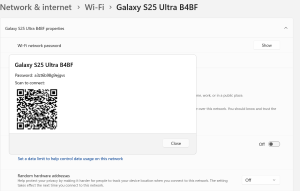


Answers ( 3 )
Hi Vaishnav,
Thank you for your response. I have tried the steps mentioned in Intune, but they are not working.
Under the Intune profile:
1. Choose Windows 10 and later as the platform and set the profile type to Custom.
2. Configure the OMA-URI setting with the following details:
– Name: Disable View Wi-Fi Security Key or Password
– Description: Restrict users from viewing the Wi-Fi key
– OMA-URI: ./Device/Vendor/MSFT/Policy/Config/Connectivity/DoNotViewWiFiPassword
– Data type: Integer
– Value: 1
3. Apply it to the device group.
Have you tried this same policy? Does it work for you? Because what I noticed is that for ADMX-backed policies under “Policy CSP – Connectivity,” I don’t see the policy like “/Device/Vendor/MSFT/Policy/Config/Connectivity/DoNotViewWiFiPassword.”
Ref Link: https://learn.microsoft.com/en-us/windows/client-management/mdm/policy-csp-connectivity
Hi Deepan,
To restrict users from viewing Wi-Fi security keys in Intune, create a custom Configuration Profile with the following steps:
In the Microsoft Intune Admin Center (https://intune.microsoft.com/), navigate to Devices > Configuration, then select Create profile.
Choose Windows 10 and later as the platform and set the profile type to Custom.
Configure the OMA-URI setting with:
Name: Disable View Wi-Fi Security Key or Password
Description: Restrict users from viewing the Wi-Fi key
OMA-URI: ./Device/Vendor/MSFT/Policy/Config/Connectivity/DoNotViewWiFiPassword
Data type: Integer
Value: 1
Assign the profile to the required user or device groups.
After the assignment, initiate a device sync so the policy takes effect.
With this configuration applied, users will no longer be able to view Wi-Fi security keys on their devices
Hi Vaishnav,
Thank you for your response. I have tried the steps mentioned in Intune, but they are not working.
Under the Intune profile:
1. Choose Windows 10 and later as the platform and set the profile type to Custom.
2. Configure the OMA-URI setting with the following details:
– Name: Disable View Wi-Fi Security Key or Password
– Description: Restrict users from viewing the Wi-Fi key
– OMA-URI: ./Device/Vendor/MSFT/Policy/Config/Connectivity/DoNotViewWiFiPassword
– Data type: Integer
– Value: 1
3. Apply it to the device group.
Have you tried this same policy? Does it work for you? Because what I noticed is that for ADMX-backed policies under “Policy CSP – Connectivity,” I don’t see the policy like “/Device/Vendor/MSFT/Policy/Config/Connectivity/DoNotViewWiFiPassword.”
Ref Link: https://learn.microsoft.com/en-us/windows/client-management/mdm/policy-csp-connectivity