
How to Restrict Screen Capture Functionality to Work Only Between Approved Applications
Question
Hi all,
INTUNE SCREEN CAPTURE SETTINGS for MAM:
Hey guys, Happy Monday!
So my test MAM policy for BYOD is working good so far… but I wanted to ask, for iOS, is there a way to make screen capture work only between Approved Apps?
I know that in iOS devices, screen captures save straight to the default Photos folder, so MAM will stop this. But is there a way to, if inside Approved Apps, get screen captures to save to an Approved Location like OneDrive? I have a feeling no, but I thought I would ask anyway.
I messaged my boss over the weekend on Teams and did a screenshot on one of the chats to send to him, but of course it didn’t work because of my current settings preventing screen captures, and this led me to wonder if there’s a way to allow it only inside approved apps.
Posted by Patrick O’Frani in HTMD FB Group

Answers ( 4 )
What should I look for when choosing custom patches uk for jackets, uniforms, bags, or business branding? I want to find high-quality designs with durable materials, neat finishing, and customisation options that suit different styles and budgets. Which factors should I consider before placing an order?
Hi Smitha,
I suspect that, this kind of fine-grained control allowing screenshots only within approved apps and saving them to an approved location like OneDrive isn’t something that Microsoft Intune App Protection Policies (MAM) can currently enforce on iOS.
Here’s a breakdown of the current capabilities and limitations:
What you can’t do on iOS with MAM:-
You can’t selectively allow screenshots only inside approved apps.
iOS handles screenshots at the OS level, not at the individual app level, meaning once a screenshot is taken, iOS doesn’t consult the app or any MAM policy it just saves it to the Photos app.
Intune MAM policies can only block screenshots completely when the app is marked as “managed” (e.g., Outlook, Teams, OneDrive), which is why your screenshot attempt failed.
You can’t redirect screenshot storage to OneDrive or another approved storage app.
Apple doesn’t expose any APIs to reroute where screenshots are saved.
Even within managed apps, the OS still sends screenshots to the system Photos library.
Replied by Brad Peters
By default the feature works exactly the opposite of what you want. You can screenshot outside of the protected apps but not in the protected apps. That I’m aware of you cannot set a policy that allows you to screenshot within a protected app AND limit where the screenshot is saved/shared/used.
Replied by Patrick O’Frani
Thanks for the input and it’s fine if it’s working as how it was designed. I just wondered if I was missing some secret settings that would allow what I wanted.
Replied by Greg Ernest
I think the main screenshot feature is built into iOS and MAM can’t control much of iOS.
For more details – Microsoft Intune Introduces Screen Capture Blocking for iOS or iPadOS MAM Protected Apps – https://www.anoopcnair.com/intune-screen-capture-blocking-for-ios-ipados/
Replied by Fernando Bernardi
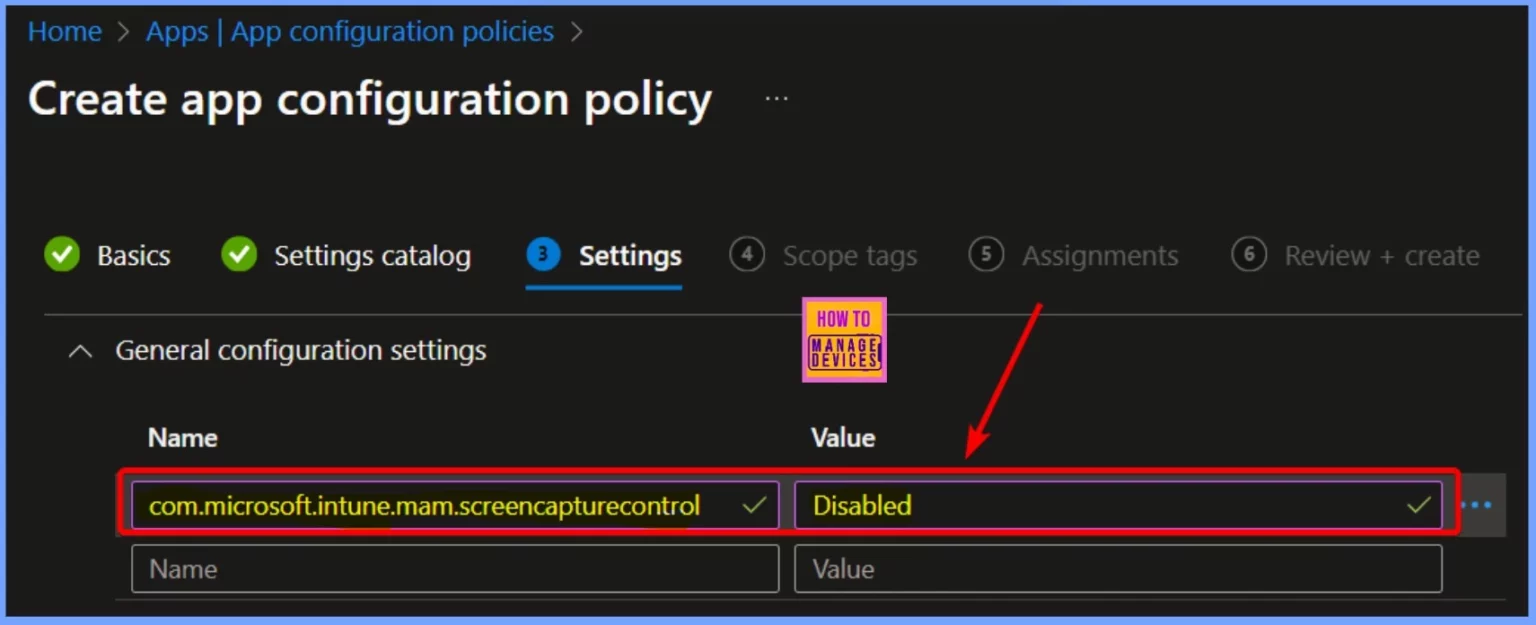
You can create a policy to allow screenshots on work apps (M365), but you cannot control where the screenshots will be saved. We had the same issue, but there were many complaints from users, so we ended up allowing screenshots only in Teams.
Replied by Patrick O’Frani
Can you give me more info on this pls? what policy and how?