
Remote Application Deployment in Intune
Question
Hi All,
I was trying out Remote Application Deployment in Intune. I checked both ‘Line of Business APP’ and ‘Windows APP’ methods. Both are failing.
I converted the installer file into the required format before setup the policy and then assigned the policy to a group.
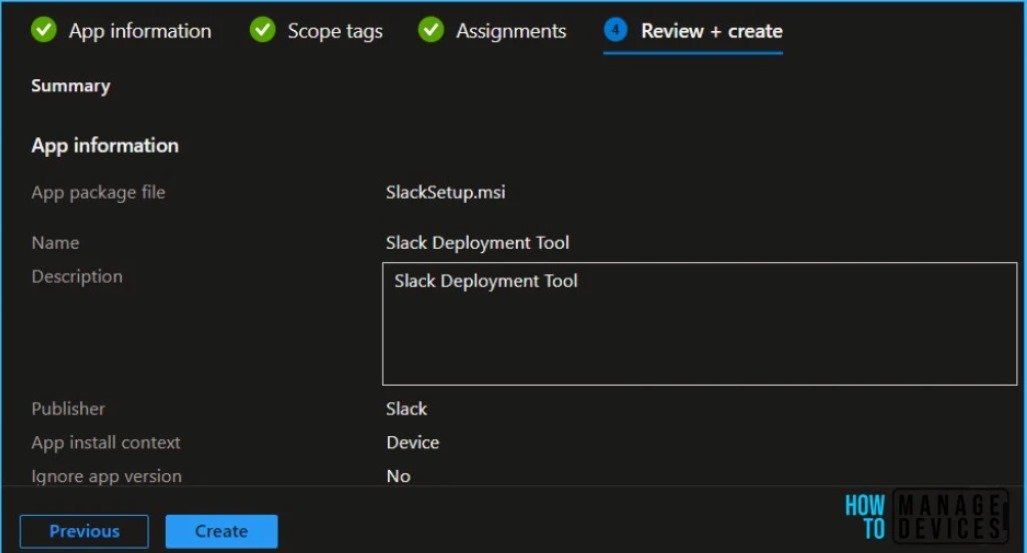
Please see below the screenshot of one configuration.
Could you please help me to configure remote application deployment? Please let me know if you need any further details.
Posted by Joseph K in HTMD FB Group

Answer ( 1 )
For More Details Deploy Slack using Intune MSI Application Deployment Guide
https://www.anoopcnair.com/deploy-slack-using-intune-msi-app-deployment/
Replied by Mike
according to the screenshot if both failing you need to complete the details uninstall/installation command line and specify the detection rule. you can use SCCM logs to check IME logs what are the current happening when installing the app or you can try to apps blade> Over view check the reports then search for the error code in google
here is the alternative for remote tools:”
1. You can use remote help but you need to secure the license first source:
https://learn.microsoft.com/en-us/mem/intune/fundamentals/intune-add-ons
2. to configure remote help source:
https://learn.microsoft.com/en-us/mem/intune/fundamentals/remote-help you can use also team viewer .
3. You can use also integrate team viewer in Intune source:
https://learn.microsoft.com/en-us/mem/intune/remote-actions/teamviewer-support
Replied by Sean Bravener
Use the Intune win installer and the 32 bit app package. Is the most stable and tested. Works both 6$ and 32 bit apps.
Replied by John Cav
you have to specify the command line. You can’t deploy an application without specifying it.
Replied by Joe Bowers
Have you read a single document on how to deploy an app? I’m gunna vote no.