The Best and Effective Way to Upgrade Windows 10 Endpoint Devices to Windows 11
Question
Hi All,
The best and effective way to upgrade windows 10 endpoint devices to windows 11.. please advise
Posted by Rom Mel in HTMD FB group
Lost your password? Please enter your email address. You will receive a link and will create a new password via email.

Hi All,
The best and effective way to upgrade windows 10 endpoint devices to windows 11.. please advise
Posted by Rom Mel in HTMD FB group

Answers ( 3 )
Replied by Christian Tukjær Nyhuus
+1 for Autopatch, works really well
Replied by Ismail Kirik
Did someone mentioned Autopatch in here . Autopatch easy to setup and easy to use with inplace upgrade. You can make more rings so you can deploy the inplace upgrade in stages. Thats how I am gonna do.
Replied by Kenneth Nandfred Larsen
Autopatch, and try to stay inside the default config of autopatch. Don’t complicate it to much.
Replied by Kenneth Nandfred Larsen
Martin Greenhill that sounds like a more general issue, check M$ status page.
Things are down today.
Replied by Martin Greenhill
Kenneth Nandfred Larsen it’s been a week so guessing it’s not. The lack of logs is a massive pain. I’m seeing the console report no errors or failures which is also annoying but I can see I have at least 6 devices
Replied by Ragendra Alexei
Windows Autopatch is the best because it’s simple…but I don’t know if rollback is possible but it’s simple to implement and there is a nice reporting/monitoring interface
Replied by Steven Hosking
Just use windows autopatch in place upgrade, it’s simple and you only need to look at it when something isn’t successful
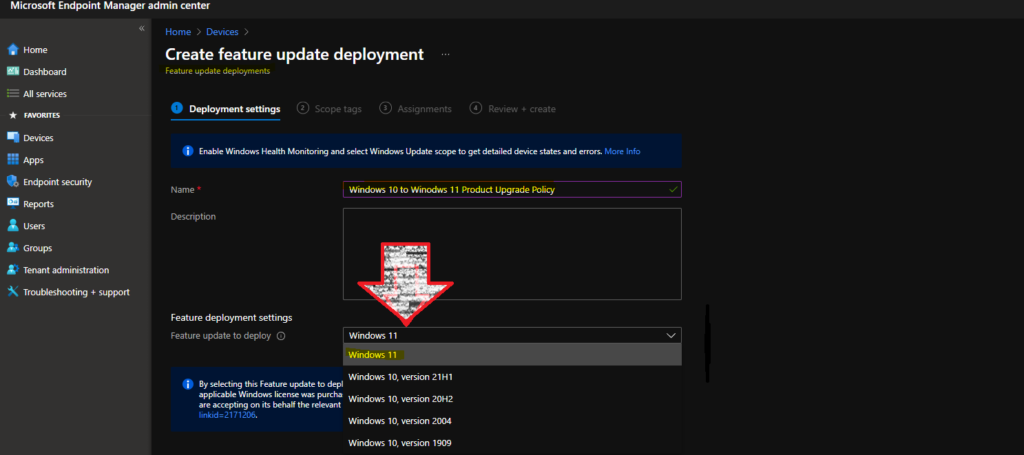
For more details Upgrade to Windows 11 using Intune Feature Update Deployment Policy
https://www.anoopcnair.com/windows-11-feature-update-deployment-policy/
Replied by Shane Ree
I tried update ring. Worked for 90% of devices.
Then I found a powershell script that I deployed for the rest
Replied By Brandon Ruppe
Shane Rees I’m curious about the powershell script. Can you share?
Replied By Martin Greenhill
Having issues with autopatch at the moment where all of a sudden devices are failing to download the upgrade package on or off the network