
Windows Client is Azure AD Joined and Appears in Azure AD, but it is Registered with a Different User
Question
Hi All,
Have a strange issue on a client
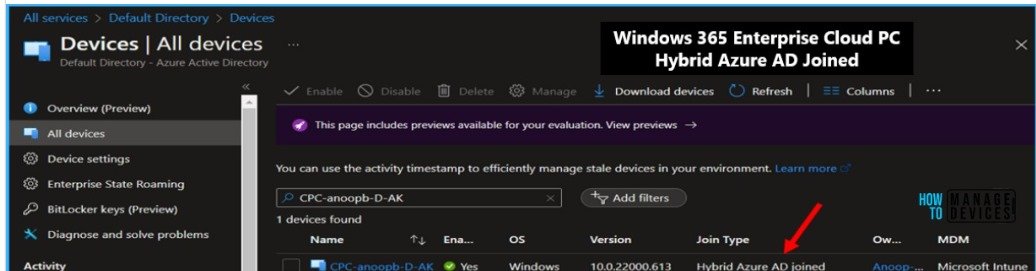
Windows client is Azure AD joined according to what I can see on the pc – if I look in the azure AD, the device is there but registered with a different user (
The plan is that the device must also be enrolled into intune, like the other devices in the organization(where intune enrollment works fine)
On this device I open company portal and it shows first the an account must be added – and then when entering the email address of the user it prompts the device is already managed
I tried to remove the entry in azure ad from the other user who seemed to have this pc registered. But still same issue – and like I said Intune enrollment works fine on other clients, just this client it does not
Posted by Peder Jensen in HTMD FB Group

Answers ( 2 )
Replied by Raymond Tavuya
https://eskonr.com/2024/08/troubleshooting-intune-device-enrollment-issues-this-device-is-already-set-up-in-another-organization/
Replied by Raymond Tavuya
run the powers hell script on this blog. it helped me
Replied by Todd Bailey
Make sure when you join it to AD you’re choosing the link to join, but before doing that, make sure you’re logged in to the computer as a local admin.
I’ve seen weird things when you try to join when not a local admin. It will go through the process like it’s working but it never fully completes. It’s been a while and this might not be the issue you’re experiencing but wanted to share rhetorical basic stuff.
For More Details Windows 365 Cloud PC Hybrid Azure AD Join Vs Azure AD Join
https://www.anoopcnair.com/windows-365-cloud-pc-hybrid-aad-join-v-aad-join/
Replied by Rudy Ooms
Check out my reply on reddit if you have more info… i would love to hear it
Replied by Steve Harris
Change the owner to the current user sync, reboot. then try the portal app. Only “owner” can use the portal app properly on a device
Replied by Peder Jensen
As I wrote the device was removed from azure AD, as it was registered with a wrong user. When I look on the pc, the pc still rapport as azure ad joined ? –
What If I, when the user is logged in, disconnect the azure ad join – can I then just join it again ? – I just don´t want to risk that the user suddenly cannot login again or the user profile suddenly is gone