
Deploy Applications Remotely using Intune
Question
Hi All,
I am trying to deploy applications remotely using Intune. I referred various docs and YouTube videos.
I tested 3-4 times. All are failing.
For installing through Intune, I converted the .exe installer into .msi format using a file converter.
I don’t know where problem is – whether belongs to the installer file or installation code…
Have you used this method to deploy applications remotely? Could you please help me by guiding how to do this?
Posted by Joseph K in HTMD FB Group

Answers ( 3 )
Replied by John Omar Pol
You can also op to use https://intunepckgr.com/ a SaaS that lets you add apps with ease
Replied by John Bryntze
As many have already mentioned, find the silent install switch and package the Intune win file with Win32 content prep tool.
This series of videos goes in dept each step
https://www.youtube.com/playlist
Replied by Per Larsen
Try and follow this guide :
https://learn.microsoft.com/en-us/mem/intune/apps/apps-win32-app-management?
Replied by Ryan Matthew
Have you reviewed the IME Log? Check and ensure command-line parameters are set correctly, and your detection methods.
Replied by Devanshu Bahukhandi
I have converted .exe to MSI for ease but it shows install pending on some systems AJD in some, it showing failed.
Replied by Zaheen Memon
This is another way
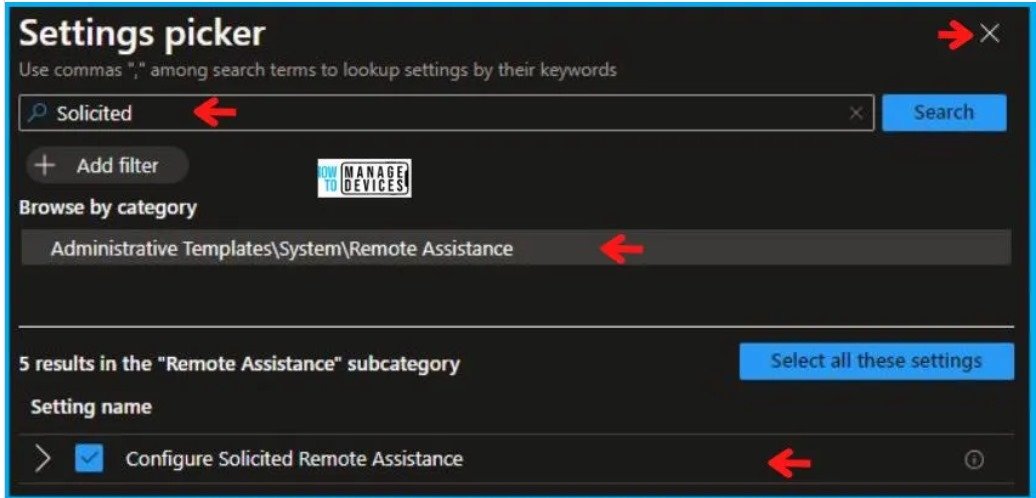
For more details Configure Solicited Remote Assistance Policy using Intune
https://www.anoopcnair.com/configure-solicited-remote-assistance-intune/
Replied by Mathieu Ait Azzouzene
Wow, you’re complicating things so much. You don’t need to convert anything into an MSI, just do the exact same package you use to do with other solutions then use the Win32 content prep tool
Replied by Jimi McNear Jr.
Name of app? Asking because a lot of companies do have an MSI version. If no MSI version exists you can just package the exe. Just need to know the switches for silent install
Replied by Sean Bravener
2nd this. use the win32 content prep tool for EVERY thing. don’t mix and match store with MSI with win32. use 1 format and stick with it except for the company portal and maybe the office365 package. use the wrapper for all else. wrapping MSI IS easier as it fills in the detection method usually but EXE is not hard to figure out either